
TL;DR:
- Thermostat calibration aligns your device’s temperature sensor with actual room conditions, improving HVAC efficiency and comfort. Regular checks and adjustments—using a reference thermometer—prevent energy waste, short cycling, and premature equipment wear. Proper placement and maintenance are essential, as calibration cannot fix issues caused by poor sensor location or faulty components.
Thermostat calibration is the process of aligning your thermostat’s internal temperature sensor reading with the actual temperature in your living space. When that alignment drifts, your HVAC system responds to false data, running longer than needed or cutting off too soon. The result is wasted energy, uneven comfort, and unnecessary wear on your equipment. A properly calibrated thermostat is the foundation of efficient home climate control, and understanding the process puts you in control of your comfort and your utility bills.
What is thermostat calibration and when do you need it?
Thermostat calibration, sometimes called temperature offset adjustment in digital systems, corrects the gap between what your thermostat reads and what a reliable thermometer measures in the same room. Industry guidance recommends recalibration when discrepancies exceed 1 to 2°F between the thermostat display and actual room temperature. That threshold matters because even a 2°F error causes your HVAC system to run cycles that do not match your actual comfort needs.
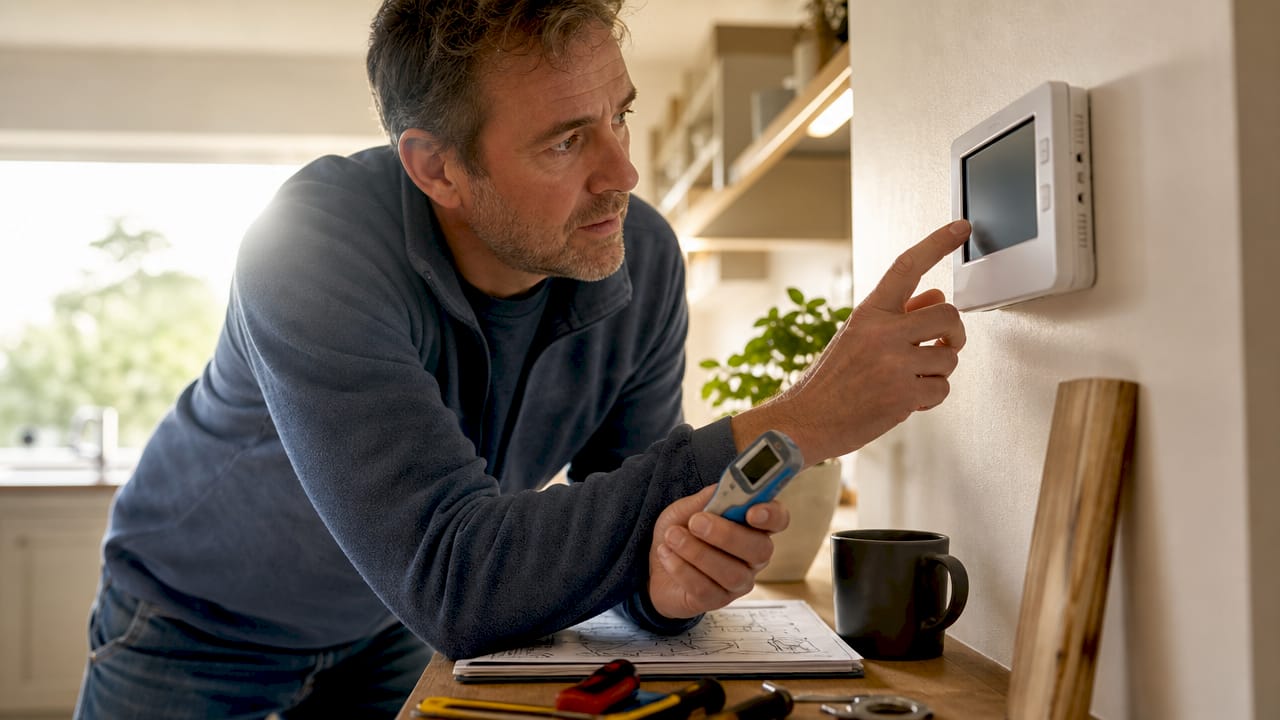
Most homeowners never think about calibration until something feels obviously wrong. But drift happens gradually, often caused by aging sensors, dust accumulation, or minor shifts in thermostat placement conditions. The good news is that catching the problem early requires nothing more than a quality reference thermometer and about 30 minutes of your time.
How do you know if your thermostat needs calibration?
Recognizing the signs of thermostat miscalibration early saves you from higher bills and unnecessary service calls. Here are the most common indicators:
- Temperature mismatch. Your thermostat reads 72°F but the room feels noticeably warmer or cooler. Place an independent thermometer near the thermostat to confirm the gap.
- Uneven temperatures throughout the home. Some rooms are comfortable while others are too hot or too cold, suggesting the system is not cycling correctly.
- Short cycling. Your HVAC system turns on and off in rapid succession without completing a full heating or cooling cycle.
- Constant running. The system runs for extended periods without reaching the set temperature, which points to the thermostat reading the room as warmer or cooler than it actually is.
- Unexpectedly high energy bills. A miscalibrated thermostat causes HVAC short cycling or excessive run times, directly increasing energy consumption. That spike in your bill is often the first measurable sign something is off.
Pro Tip: Tape a quality digital thermometer, such as one from AcuRite or ThermoPro, directly next to your thermostat for 30 minutes with no HVAC activity. If the readings differ by more than 2°F, calibration is overdue.
The reference thermometer test is your most reliable diagnostic tool. Do not rely on how the room “feels,” since personal perception of temperature varies too much to be useful for calibration decisions.
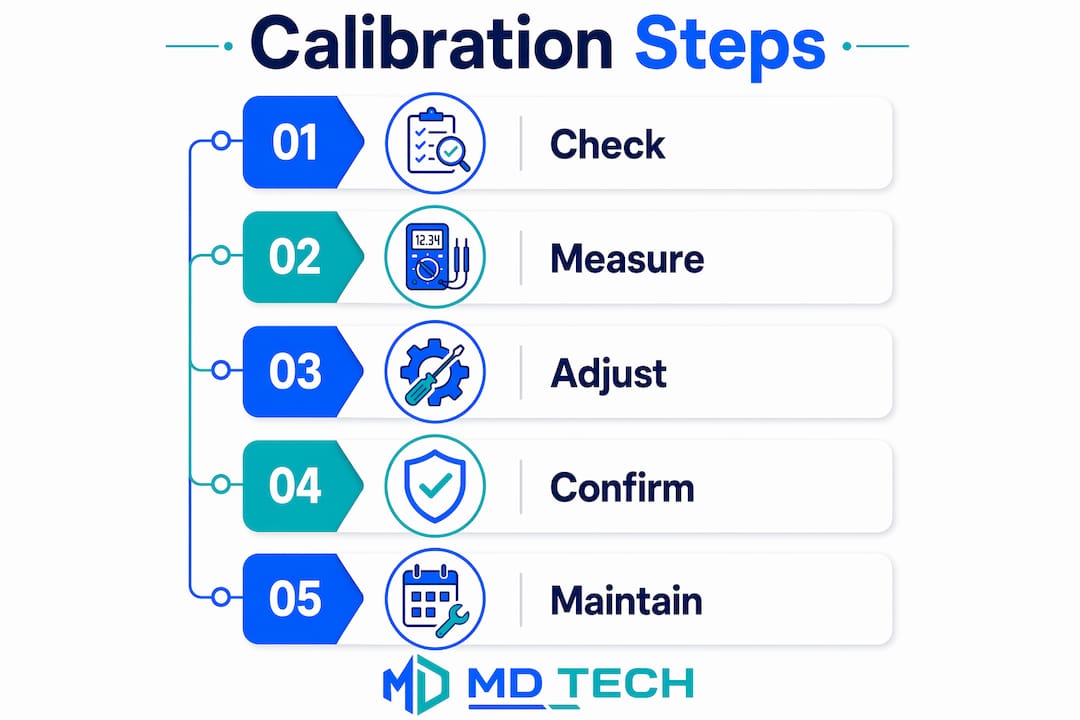
What is the thermostat calibration process for mechanical vs. digital models?
The calibration method depends entirely on your thermostat type. Mechanical and digital models require different approaches, different tools, and different levels of patience.
Calibrating a mechanical thermostat
Mechanical thermostats, including older bimetallic strip models and those with mercury switches, require physical adjustments. A mercury switch thermostat must be perfectly level for accurate temperature registration. If the unit is even slightly tilted, no amount of sensor adjustment will produce correct readings.
Follow these steps for mechanical calibration:
- Power down your HVAC system at the breaker before touching any internal components.
- Remove the thermostat cover and locate the calibration screw near the bimetallic sensor coil.
- Place your reference thermometer 2 to 3 inches from the thermostat and wait 15 to 30 minutes for temperature stabilization before adjustments.
- Turn the calibration screw in small increments, roughly 1/8 of a turn at a time, using a small flathead screwdriver.
- Restore power, run a full HVAC cycle, and recheck the reading against your reference thermometer.
Calibrating a digital or smart thermostat
Digital thermostats, including smart models like Nest, Ecobee, and Honeywell Home T6, handle calibration through software. Mechanical vs. digital calibration differs fundamentally: digital models use a menu-based “temperature offset” setting rather than any physical screw adjustment.
- Access the thermostat’s settings or installer menu (check your model’s manual for the exact path).
- Locate the temperature offset or calibration adjustment option.
- Enter the correction value based on the difference between your reference thermometer and the thermostat display.
- Save the setting and allow a full HVAC cycle before verifying the result.
| Feature | Mechanical thermostat | Digital/smart thermostat |
|---|---|---|
| Calibration method | Physical screw adjustment | Menu-based offset setting |
| Tools required | Screwdriver, reference thermometer | Reference thermometer only |
| Risk of over-adjustment | Higher (incremental turns needed) | Lower (precise numeric input) |
| Leveling requirement | Critical for mercury models | Not applicable |
| Time to verify | One full HVAC cycle | One full HVAC cycle |
Pro Tip: After entering any calibration offset, wait several hours or a full HVAC cycle before reassessing accuracy. Thermal mass in walls and flooring affects readings immediately after adjustment, so early checks produce misleading results.
Why is thermostat calibration important for energy efficiency and home comfort?
Proper calibration is not a cosmetic fix. It directly affects how hard your HVAC system works and how long it lasts. Here is what accurate calibration delivers:
- Reduced energy waste. A thermostat reading 3°F too high in summer keeps your air conditioner running past the point of comfort. Proper calibration stops that waste at the source. You can learn more about how thermostats reduce energy waste through accurate temperature control.
- Elimination of short cycling. Short cycling forces your compressor to restart repeatedly, which is the most damaging operating pattern for any HVAC unit.
- Consistent room temperatures. Calibration removes the guesswork from your system’s cycling decisions, producing more even temperatures across rooms.
- Extended equipment lifespan. Every unnecessary cycle adds wear to your compressor, blower motor, and heat exchanger. Fewer erratic cycles mean fewer repair calls.
- Accurate comfort control. When your thermostat reads correctly, you stop manually adjusting the set point throughout the day, which itself causes additional cycling.
“Calibration corrects sensor reading errors but cannot fix poor thermostat placement. Re-locating a thermostat is sometimes necessary to resolve comfort issues that calibration alone cannot address.” — Beok Controls
Poor thermostat placement near windows, exterior walls, or supply vents creates temperature readings that no calibration can fix. If you suspect location is the real problem, the role of thermostat placement in home comfort is worth reviewing before you attempt any sensor adjustment.
Common calibration mistakes and how to avoid them
Most calibration errors come from impatience or skipping preparation steps. These are the mistakes that cause more problems than they solve:
- Rushing adjustments without stabilization. Making corrections before the room temperature has settled for 15 to 30 minutes produces readings that do not reflect actual conditions. You end up chasing a moving target.
- Overcorrecting based on a single measurement. Experts recommend confirming discrepancies over multiple readings across different times of day before making any adjustment. One reading in direct afternoon sunlight is not representative.
- Skipping sensor cleaning. Dust and debris on the thermostat sensor cause inaccurate readings that cleaning alone can fix. Attempting calibration on a dirty sensor wastes your time and may lead to unnecessary adjustments.
- Ignoring placement problems. A thermostat sitting near a drafty window or above a heat-producing lamp will always read incorrectly. Calibration cannot compensate for a bad location.
- Failing to verify after a full cycle. Checking the result immediately after adjustment, before the system has completed a full heating or cooling cycle, gives you incomplete data.
Pro Tip: Before touching any calibration settings, open the thermostat cover and use a soft brush or compressed air to clean the sensor area. Many “calibration problems” disappear after a thorough cleaning.
A large offset of more than 2 to 3°F after cleaning and proper stabilization is a red flag. That level of discrepancy typically indicates thermostat placement issues or sensor failure, not a simple calibration error, and warrants professional evaluation.
How to maintain accurate thermostat calibration over time
Calibration is not a one-time fix. Seasonal temperature swings, dust accumulation, and battery degradation all affect accuracy over time. These steps keep your thermostat reading correctly year after year:
- Clean the sensor annually. Open the thermostat cover once a year and remove dust from the sensor and surrounding components using compressed air or a soft brush.
- Replace batteries on schedule. Low batteries in digital thermostats cause erratic readings and missed calibration offsets. Replace them every 12 months regardless of the low-battery indicator.
- Run a seasonal calibration check. Before summer and before winter, place your reference thermometer next to the thermostat and verify the reading. Seasonal temperature extremes expose drift that mild weather hides.
- Audit thermostat placement conditions. Check whether new furniture, curtains, or appliances have been placed near the thermostat since your last check. Even a new lamp can introduce enough radiant heat to skew readings.
- Call a professional for persistent discrepancies. If your thermostat consistently reads more than 2°F off after cleaning and calibration, the sensor may be failing or the unit may need replacement. For HVAC troubleshooting guidance beyond basic calibration, professional diagnosis is the right next step.
Pro Tip: Keep a simple log of your calibration checks, noting the date, reference thermometer reading, thermostat reading, and any adjustment made. Two or three entries over a year reveal whether your thermostat is drifting consistently, which helps a technician diagnose sensor degradation faster.
Key takeaways
Thermostat calibration is the single most overlooked maintenance task that directly affects both HVAC efficiency and monthly energy costs.
| Point | Details |
|---|---|
| Calibration threshold | Recalibrate when thermostat and room temperature differ by more than 1 to 2°F. |
| Method depends on type | Mechanical models use screw adjustments; digital models use menu-based offset settings. |
| Clean before calibrating | Dust on the sensor is a leading cause of inaccurate readings and should be removed first. |
| Patience is required | Wait for a full HVAC cycle after any adjustment before verifying results. |
| Placement matters too | Calibration cannot fix a thermostat in a bad location; relocation may be necessary. |
What I’ve learned after seeing hundreds of thermostat issues
Most homeowners I talk to assume their thermostat is accurate because it’s digital. That assumption is the source of a lot of unnecessary discomfort and wasted money. Digital thermostats drift. Sensors collect dust. Batteries weaken. The offset setting that was correct two years ago may no longer match current conditions.
The other thing I see constantly is homeowners calibrating around a placement problem. They spend 45 minutes adjusting offset settings on a Nest or Ecobee, get it reading correctly in the afternoon, and then wonder why it’s off again in the morning. The thermostat is near a west-facing window. No calibration fixes that. You move the thermostat or you live with the inconsistency.
My honest recommendation: treat calibration as a seasonal habit, not a one-time repair. Spend 30 minutes before summer and before winter with a quality reference thermometer. Clean the sensor. Check the offset. Verify after a full cycle. That 60 minutes of annual effort prevents the kind of HVAC wear that leads to compressor replacements and refrigerant recharges. The homeowner’s guide to thermostats and HVAC efficiency is a good place to deepen your understanding if you want to go further than basic calibration.
If you’ve done everything right and the discrepancy won’t close, stop adjusting and call a technician. Chasing a sensor failure with calibration offsets creates unstable HVAC behavior that costs more to fix later.
— MDTECH
Professional thermostat calibration and HVAC support in Orange County
When calibration adjustments don’t resolve the discrepancy, or when your HVAC system shows signs of deeper problems like short cycling, inconsistent airflow, or unusual energy spikes, professional inspection is the right call. Appliancesrepairmdtech provides expert HVAC repair services across Orange County and Los Angeles County, including thermostat calibration, sensor diagnostics, and full system tune-ups. Licensed technicians can identify whether the issue is a sensor, a placement problem, or a wiring fault that no amount of DIY adjustment will fix. Book an appointment online and get your system running accurately before the next season hits.
FAQ
What does thermostat calibration mean?
Thermostat calibration is the process of correcting the gap between your thermostat’s displayed temperature and the actual room temperature. It adjusts the sensor reading so your HVAC system responds to accurate data.
How often should you calibrate a thermostat?
A calibration check once or twice a year, ideally before summer and before winter, is sufficient for most homes. Recalibrate immediately if you notice temperature discrepancies greater than 1 to 2°F.
Can I calibrate a smart thermostat myself?
Yes. Smart thermostats from brands like Nest, Ecobee, and Honeywell Home include a temperature offset setting in their menus. Use a reference thermometer to measure the actual room temperature, then enter the correction value in the settings.
Why is my thermostat always reading the wrong temperature?
Persistent inaccuracy after calibration usually points to dust on the sensor, low batteries, or poor thermostat placement near heat sources, drafts, or direct sunlight. A discrepancy larger than 2 to 3°F after cleaning and adjustment may indicate sensor failure.
Does calibration fix uneven temperatures in my home?
Calibration corrects the thermostat’s reading but does not address duct imbalances, insulation gaps, or airflow problems that cause uneven room temperatures. If rooms remain inconsistent after calibration, an HVAC inspection is the next step.