
If your Samsung dishwasher leaves standing water in the tub, the cause is usually one of four things: a clogged filter, a blocked sink or disposal, a kinked or badly looped drain hose, or a drain pump that is jammed or failing. The first three you can check yourself in about 30 minutes. The fourth often needs a technician. This guide walks through the checks in the order that saves you the most time, explains the 5C, 5E, SC and SE codes, and tells you where DIY should stop.
TL;DR
- Run the kitchen sink first. If the sink drains slowly, the problem is in your home plumbing, not the dishwasher.
- Clean the filter and sump area, wearing cut-resistant gloves. This clears most simple clogs.
- Check the drain hose for kinks and make sure it has a high loop or air gap. A bad hose setup causes repeat drain errors.
- Do not reset the machine until the mechanical checks are done. A reset hides a code but does not remove a clog.
- If water still sits in the tub after all that, the drain pump or its motor is the likely culprit, and it is time to book a repair.
Table of Contents
- What a Samsung drain error looks like
- Step 1: Rule out the sink and the disposal
- Step 2: Clean the filter and sump
- Step 3: Check the drain hose, loop and air gap
- Step 4: Reset only after the checks
- Step 5: Signs it is the drain pump or a part
- What not to do
- Our perspective: what we see on drain calls
- When to book a repair
- How to keep it from happening again
- FAQ
- Sources
What a Samsung drain error looks like
Most people notice it the same way: you open the door after a cycle and find a few inches of dirty water, or the cycle stops partway and the display shows a code. Samsung says the codes 5C, 5E, SC and SE all point to a drain problem, meaning the dishwasher cannot clear water out of the basin.
Not every Samsung has a digital display. On some models the error shows as a pattern of blinking lights instead. Samsung notes that lights can blink as part of normal operation, so blinking alone is not a fault. It becomes one when the dishwasher also fails to finish a cycle or to drain. In that case, look up the pattern for your model rather than power-cycling the machine blindly.
A quick way to sort your situation:
| What you see | Most likely cause | Who fixes it |
|---|---|---|
| Sink also drains slowly or gurgles | Clog in the home drain line | You, or a plumber |
| Food debris and gritty water in the tub bottom | Dirty filter or sump | You |
| Dirty sink water flows back into the tub | Hose without a high loop or air gap | You, or an installer |
| Hose is visibly crushed behind the unit | Kinked or pinched drain hose | You, with care |
| Pump hums or is silent, nothing moves | Jammed impeller, failed pump or motor | Technician |
| Code returns right after a reset | Physical blockage or part failure | Depends on checks below |
Step 1: Rule out the sink and the disposal
Before you touch the dishwasher, run the kitchen sink. Samsung’s own advice is to check the sink drain for clogs first, and its guidance suggests running the sink water for about 30 seconds to see whether the home drain is the real issue. If the sink backs up or drains slowly, the dishwasher has nowhere to send its water, and no part replacement will help.
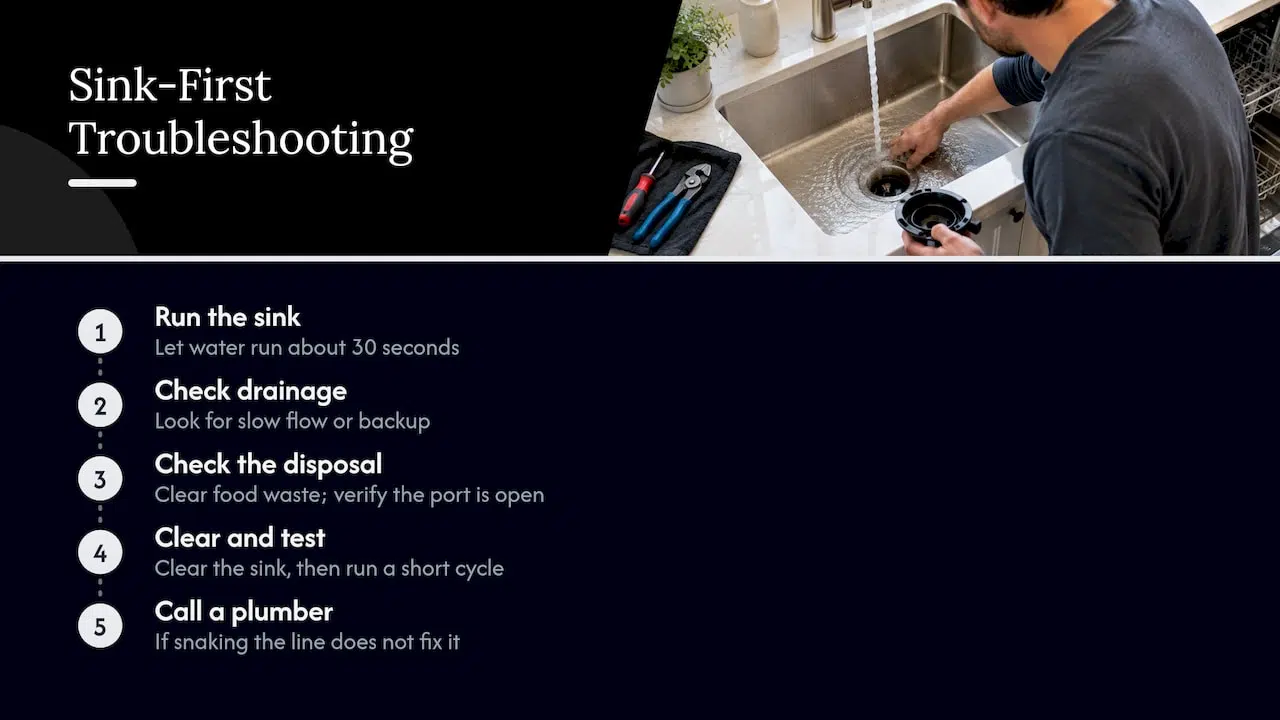
If your dishwasher drains through a garbage disposal, run the disposal and clear it of food waste. Samsung lists food waste in the disposal as a common reason for drain failure. If the machine was recently installed and has never drained into a disposal, a technician will also check whether the disposal’s drain port was opened during installation. That one is easy to miss and has caused many “brand new dishwasher won’t drain” calls.
If the sink is the problem, clear it first, then run a short dishwasher cycle to confirm. A kitchen plumbing clog is a different job from an appliance repair, and a plumber is the right call if snaking the line does not fix it.
Step 2: Clean the filter and sump
The filter sits at the bottom of the tub and catches food before it reaches the pump. When it clogs, water drains slowly or not at all. Our own explainer on what a dishwasher filter does and how to maintain it covers the basics. For a Samsung, the process is:
- Turn off power to the dishwasher at the breaker or unplug it if you can reach the cord safely.
- Remove the lower rack and bail out standing water with a cup and towel.
- Twist out the filter assembly following your model’s manual and rinse it under warm water, scrubbing with a soft brush.
- Look into the sump below for debris, then wipe it clean.
- Reinstall the filter fully and lock it into place.
Wear cut-resistant gloves for step 4. Samsung warns that glass, bone fragments and plastic can be caught in the impeller area, and a bare hand reaching into the sump is how people get cut. Do not use your fingers where you cannot see.
Samsung also has a routine and deep-clean procedure for the machine. Its tip is simple: scrape or lightly rinse the biggest food debris off dishes before loading, so the filter and drain area need cleaning less often.
Step 3: Check the drain hose, loop and air gap
This is the cause most homeowners never think about. The drain hose runs from the pump to your sink drain or disposal. If it is kinked behind the dishwasher, or crushed under the unit, water cannot pass. Samsung lists a kinked or pinched hose among the common causes.
The hose also needs the right shape. It should either rise into a high loop under the countertop, higher than the drain connection at the sink, or connect to an air gap. Without that, sink water can siphon backward into the dishwasher, and the machine appears to fail to drain no matter how healthy the pump is. The result is a repeating 5E or 5C that returns cycle after cycle.
To check it:
- Slide the dishwasher out gently only if you can do it without stretching the water line or damaging the floor. Many people prefer to inspect from the sink cabinet first.
- Look under the sink for the hose. Is it fastened up high, or does it sag to the floor?
- Trace it for flat spots, sharp bends or a crushed section.
- If the installation looks wrong, a technician can reroute it. Our dishwasher installation guide explains what a correct setup looks like.
If you suspect the dishwasher was installed incorrectly, especially a new unit, it is worth having this fixed properly rather than repeatedly clearing the error.
Step 4: Reset only after the checks
The temptation is to hit the breaker the moment an error appears. Samsung says to avoid that. Its guidance is to do the correct troubleshooting before you reset or clear the code, because otherwise the cause stays in place and the error comes back.
Once the filter, sink and hose are checked, a reset is reasonable. Samsung’s reset instructions say you unplug the dishwasher or turn off its circuit breaker for a few minutes, then restore power. That helps with electronic glitches, such as after a power outage. It does not clear a physical obstruction. If the code returns on the next drain, you are dealing with something mechanical.
If you want to know why the machine acts up in other ways too, our dishwasher troubleshooting steps cover the wider list, and the page on why a dishwasher stops mid-cycle helps if drain errors come with cycles that quit.
Step 5: Signs it is the drain pump or a part
When the sink is clear, the filter is clean, the hose is straight and looped, and a reset changes nothing, the problem is inside the machine. Typical failures:
- A jammed impeller. Debris or a broken piece of glass locks the small fan that pushes water out. The pump may hum and nothing leaves.
- A failed drain pump motor. You hear nothing at all when the machine tries to drain.
- A stuck check valve. Water drains, then flows back into the tub.
- A control board or wiring fault. The pump is fine but never gets the signal to run.
This is where a hand-held test beats guessing. A technician can check pump voltage, resistance and the control signal in minutes, and avoid replacing a part that was never broken. If you are curious how part swaps work in general, our guide on replacing appliance parts explains why correct diagnosis comes first.
Safety matters here. You would be working around water, electricity and sharp debris. If you are not comfortable removing the lower spray arm and pump cover, stop at the filter and call someone.
What not to do
- Do not pour drain cleaner into the dishwasher. The chemicals sit in a closed tub, can damage rubber seals and plastic parts, and are a hazard to whoever opens the machine next.
- Do not keep running cycles. Each one adds water to a tub that cannot empty, and can lead to an overflow. If that has happened, see our guide to stopping dishwasher overflows.
- Do not keep resetting the machine. It masks the code without helping.
- Do not ignore puddles. EPA WaterSense advises checking appliances for puddling and verifying that hoses and drain lines are installed properly. A drain fault that leaks can damage cabinets and flooring long before you see the tub fill. If water is escaping from the base, start with tracing a leak at the bottom of the dishwasher. Samsung also has its own guidance on leakage codes.
Our perspective: what we see on drain calls
We work on dishwashers across Orange County and Los Angeles County, and the pattern on drain complaints is consistent. A large share of them are not a broken pump. They are a clogged filter, a sink line that needed clearing, or a hose that was never looped correctly when the dishwasher was installed. That is why we ask homeowners to run the sink and check the filter before booking anything. It saves you a visit if the cause is simple, and it gives our technician better information when the cause is not.
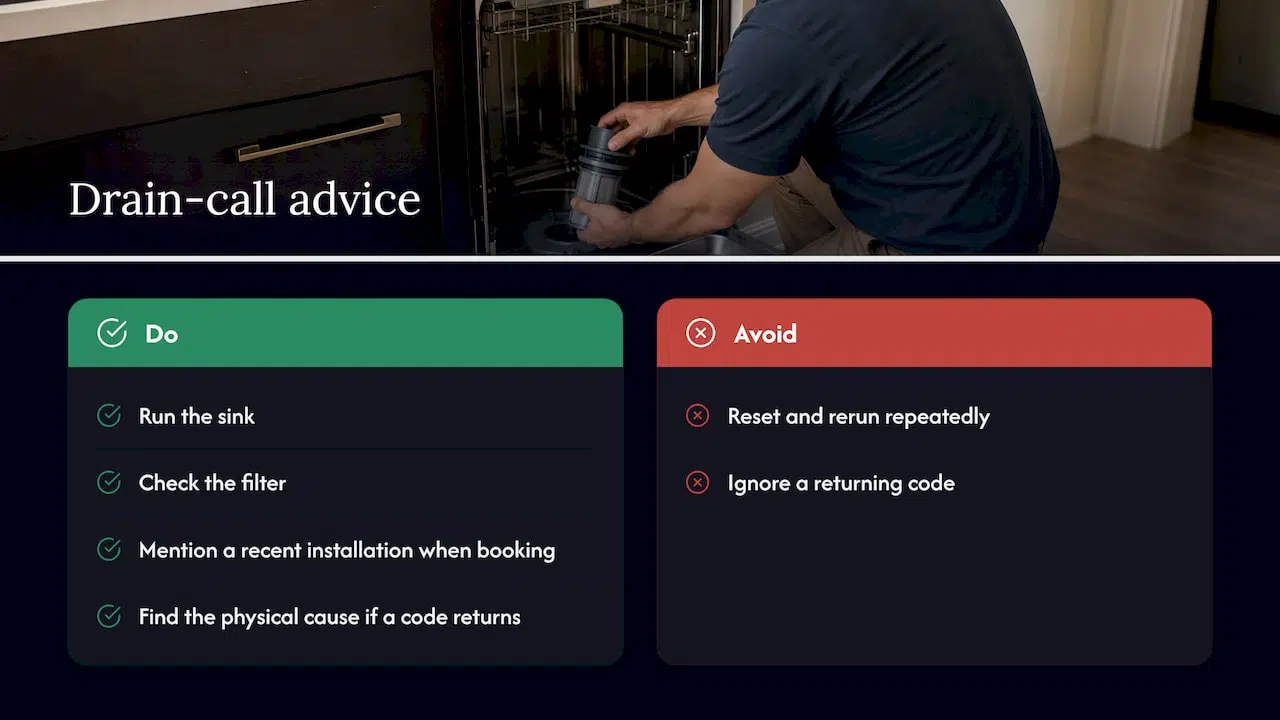
The mistake we would most like homeowners to avoid is resetting and re-running the machine repeatedly. It feels productive, but the water in the tub keeps sitting, and standing dirty water is what causes odors, and sometimes overflows and leaks. When a code returns after a reset, the machine is telling you something physical is wrong, and the useful response is to find it.
We also think installation deserves more respect. A dishwasher that is level, correctly looped and connected properly will usually drain for years. One that was rushed can throw drain errors on day one. If your problem started right after a new install, tell us that when you book.
— MDTECH
When to book a repair
Call a technician if any of these apply:
- The sink drains fine, the filter is clean and the hose is straight, but water still stays in the tub.
- The pump hums, clicks or stays silent when the machine should drain.
- The 5C, 5E, SC or SE code returns right after a reset.
- You see water on the floor, or you smell burning from the unit.
- You are not comfortable reaching into the sump around sharp debris.
We repair kitchen appliances, and our Samsung appliance page explains how we handle the brand. You can see the range of what we cover on our kitchen appliance repair page, or go straight to appliance repair booking if the water in your tub is not going anywhere. We serve homeowners and property managers in Orange County and Los Angeles County, and our technicians are licensed. Our page on 15 to 30 minute dishwasher drain fixes lists what a visit typically tackles.
A word on repair versus replacement. A drain pump or hose problem is usually a repair, not a reason to buy a new dishwasher. If the machine is old and has several problems, our piece on repair versus replacement lays out how to think about it.
How to keep it from happening again
A few habits make a real difference:
- Scrape, do not wash. Remove large scraps, bones and labels before loading. Samsung recommends rinsing off the biggest debris so the filter needs cleaning less often.
- Clean the filter on a schedule. Check it monthly if you run the machine daily, and more often if you cook a lot of rice, pasta or greasy food.
- Run the disposal before a cycle. If your dishwasher drains through it, empty it first.
- Look under the sink occasionally. Make sure the drain hose is still looped high and not crushed by stored items.
- Watch for slow drainage. Slow draining is the early warning. Dealing with it early is cheaper than fixing a leak later. EPA’s home maintenance tips also suggest comparing your water bill with last year’s to spot hidden leaks.
For more habits, see our seven essential dishwasher care tips.
FAQ
Why is my Samsung dishwasher not draining its water?
The most common causes are a clogged filter, a blocked sink drain or disposal, a kinked drain hose, or a hose without a high loop or air gap. If all of those check out, the drain pump or its motor may have failed. Start with the sink, then the filter, then the hose.
What do the 5C, 5E, SC and SE codes mean on a Samsung dishwasher?
According to Samsung, all four indicate a drain error, meaning the dishwasher cannot remove water from the basin. They do not tell you which part is at fault. Check the sink, filter and hose before anything else.
Is there a reset button for a Samsung dishwasher?
Not in the sense of a single button on most models. Samsung’s method is to unplug the unit or switch off its breaker for a few minutes, then restore power. Do that only after you have checked for clogs and hose problems, because a reset will not clear a physical blockage.
Is it safe to clean the drain pump myself?
It can be done, but be careful. Turn off the power, wear cut-resistant gloves, and look before reaching. Samsung warns that glass, bone and plastic fragments can lodge in the impeller area. If you are unsure, a technician can do it safely.
Should I fix it or replace the dishwasher?
Most drain failures come from a clog, a hose issue or a single worn part, all of which are repairable. Replacement makes more sense when a machine is old and has multiple faults. A technician can tell you which case you are in after a diagnosis.
Sources
- Samsung dishwasher is not draining
- Samsung dishwasher is displaying an error code
- Lights are blinking on the Samsung dishwasher
- Samsung dishwasher is too noisy
- Routine and deep clean your Samsung dishwasher
- How to reset your Samsung dishwasher
- Samsung dishwasher is leaking or has a leakage error code
- EPA Water Efficiency Management Guide: Residential Kitchen and Laundry
- EPA WaterSense Home Maintenance