
A humming refrigerator that suddenly feels warm or a washing machine full of soggy clothes can instantly upend your day in Orange or Los Angeles County. When appliances go haywire, frustration builds as you debate whether to fix it yourself or call a local pro. This practical guide explains simple, actionable steps for troubleshooting household appliances, helping you spot common problems early and avoid unnecessary repairs. Mastering these basics gives you peace of mind and a safer home environment.
Table of Contents
- Step 1: Prepare Your Tools And Safety Precautions
- Step 2: Identify Common Appliance Symptoms
- Step 3: Check Power And Connections
- Step 4: Inspect Key Appliance Components
- Step 5: Test And Confirm Resolution
Quick Summary
| Key Insight | Explanation |
|---|---|
| 1. Gather essential tools first | Use the right tools like screwdrivers and multimeters to avoid injuries and mistakes when repairing appliances. |
| 2. Identify appliance symptoms | Observe unusual behaviors in appliances, as this helps pinpoint issues before they escalate to costly repairs. |
| 3. Check power sources and cords | Inspect outlets and cords for damage or looseness, as power issues are a common cause of appliance failures. |
| 4. Inspect internal components | Safely check key parts like motors and heating elements to find visible signs of wear or electrical faults. |
| 5. Test after repairs | Always run the appliance through cycles to ensure your repair was successful and confirm the problem is resolved. |
Step 1: Prepare Your Tools and Safety Precautions
Before you touch a single bolt or plug in any appliance, you need to set yourself up for success. This means gathering the right tools and equipping yourself with the protective gear that keeps you safe while you work. Think of this as your foundation—the difference between a quick, worry-free repair and one that leaves you nursing an injury or making a costly mistake.
Start by identifying exactly what you need for the job at hand. Pull out your toolbox and lay everything out on a clean, dry surface. You’ll want a basic set that includes a multimeter for electrical testing, adjustable wrenches, screwdrivers (both Phillips and flathead), pliers, and potentially a socket set depending on your appliance. The key rule here is using the right tool for the job. A butter knife is not a screwdriver, even though it might seem like one in a pinch. Using the wrong tool strips screws, damages components, and wastes your time. Before you grab any tool, take a moment to inspect it carefully. Look for bent handles, cracked grips, damaged tips, or corrosion. Plugged-in power tools? Check that cords are intact with no fraying, cuts, or exposed wires. Hand and power tools require inspection before each use to prevent hazards.
Now for the protective equipment that actually matters. Safety glasses are non-negotiable—they protect your eyes from flying debris, sparks, or liquid spray. Wear work gloves appropriate to the task, though avoid bulky ones if you need precision grip. If you’re working with any appliance that has moving parts or involves water, keep loose hair tied back and wear fitted clothing. Electrical hazards are real in appliance repair, so understanding these risks shapes how cautiously you approach the work. Your work area should be clean and dry, with good lighting so you can see what you’re doing. Wet floors and appliance repair don’t mix. Clear away clutter, organize your tools within arm’s reach, and make sure you have a dedicated space where you won’t be interrupted or trip over cables.
Pro tip: Keep a small notebook next to you while working and snap photos of wire connections or component placement before you remove anything—your future self will thank you when reassembling.
Step 2: Identify Common Appliance Symptoms
Knowing what to listen for, look for, and pay attention to is half the battle when troubleshooting appliances. Your refrigerator, washing machine, dishwasher, and oven all have ways of telling you something is wrong. The trick is learning to recognize these warning signs before a small problem becomes an expensive replacement.
Start by observing how your appliance is behaving differently than normal. Is your refrigerator running but not cooling properly, leaving your food warmer than it should be? Does your washing machine fill with water but refuse to agitate or spin, leaving soggy clothes behind? These are not random failures. Your dishwasher might be spraying water weakly, which could signal a clogged spray arm or failing pump. Your oven might heat unevenly or not reach the temperature you set. Water pooling beneath your washer or dryer is an obvious red flag, but so is excessive vibration or noise during cycles. Control panels that become unresponsive or buttons that stick are telling you something internal is breaking down. Common appliance problems like refrigerators not cooling and washers not agitating happen frequently enough that recognizing them puts you ahead of the game. Pay close attention to when the problem started and what seems to trigger it. Did it happen after a power outage? Does the issue come and go, or is it constant? These details matter because they help you understand whether you’re dealing with an electrical glitch, a mechanical failure, or something else entirely.
Document what you observe. Write down the specific symptoms, when they started, and any pattern you notice. Does your dishwasher only fail to drain on certain cycles? Does your dryer only overheat when you run a full load? These patterns reveal the root cause. Some symptoms are straightforward warnings that repair is needed soon, while others suggest your appliance might be nearing the end of its life. Understanding the difference between a fixable problem and a dying appliance helps you make the right choice about whether to repair or replace.
Here is a summary of key appliance symptoms and possible underlying issues for quick reference:
| Appliance Type | Common Symptom | Likely Cause | Further Action Needed |
|---|---|---|---|
| Refrigerator | Not cooling | Compressor or relay issue | Check compressor & coils |
| Washing Machine | Won’t spin or agitate | Motor, belt, or lid switch | Inspect motor & door lock |
| Dishwasher | Weak water spray | Clogged spray arm or pump | Clean arms & check pump |
| Oven | Uneven or no heating | Heating element or sensor | Test heating elements |
| Dryer | Overheats or no heat | Thermal fuse or vent clog | Clean vent & test fuse |
Pro tip: Record a short video or take a photo of the symptom in action, especially if it involves noise, vibration, or water flow, so you can describe it accurately to a repair technician if needed.
Step 3: Check Power and Connections
Before you dig deeper into your appliance’s internal workings, you need to rule out the simplest culprit: power. Many appliance problems that look complicated are actually just power supply issues or loose connections. Spending five minutes on this step could save you an hour of unnecessary troubleshooting down the road.
Start at the wall outlet where your appliance plugs in. Is something else plugged into that same outlet? Try unplugging everything and then plugging your appliance back in. Sometimes outlets get overloaded and trip, cutting power without you realizing it. Check your home’s electrical panel for tripped breakers or blown fuses. A tripped breaker looks like a switch that is halfway between on and off. Flip it fully to the off position, then back to on. If it trips again immediately, you have a larger electrical problem that needs professional attention. If it stays on, your appliance may now work. Next, inspect the power cord itself. Look for visible damage like cracks in the insulation, exposed wires, pinched sections, or burn marks. If the cord is damaged, do not use the appliance. A damaged cord is a fire and shock hazard that requires replacement before anything else. Checking power sources and connections systematically is essential for safe troubleshooting. Plug the appliance back in and listen for it to power on. Does it hum? Does it make any sound at all? These audio clues tell you whether electricity is reaching the unit.
For appliances with detachable components like washing machine hoses or refrigerator ice maker lines, check those connections too. Are they hand-tight or do they move when you gently tug them? Loose connections prevent water flow or electrical communication between parts. Tighten any loose fittings, but do not overtighten as you can crack plastic connectors. If your refrigerator has a removable power cord at the back, make sure it is fully inserted into the wall outlet. If you recently had a power outage, know that protecting appliances during power disruptions means being cautious when power returns. Sometimes power surges damage internal components even if the appliance appears to work initially. Give it a few hours of normal operation before assuming everything is fine.
Pro tip: Keep a simple record of which outlet each major appliance uses, so if you ever need to reset breakers or troubleshoot power issues, you know exactly where to look first.
Step 4: Inspect Key Appliance Components
Now that you have ruled out power issues, it is time to look at the actual components that make your appliance work. Every appliance is made of moving parts, heating elements, motors, and control systems that work together. When one fails, the whole system stumbles. Learning to visually inspect these parts gives you clues about what went wrong without needing specialized equipment.
Start by unplugging your appliance completely before opening it up. Safety first. Then locate the major components specific to your appliance type. If you are troubleshooting a refrigerator, look for the compressor, which is usually a cylindrical unit on the back or underneath. Touch it gently to see if it feels warm or cold. A compressor that is ice cold or not warm at all suggests it is not running. Check the condenser coils nearby for visible dirt or dust buildup, which restricts airflow and reduces cooling efficiency. For washing machines, examine the pump, motor, and drum seal for leaks or corrosion. Look at the hose connections where water enters and exits. A dryer needs inspection of the heating element, which looks like a coil of wire, and the lint trap area. Inspecting key components like motors, heating elements, and thermostats helps you identify wear patterns and failures early. Use your senses to gather information. Can you smell anything burnt or unusual? Does a motor spin freely by hand, or does it feel stuck? Are there visible cracks, corrosion, or discoloration on circuit boards or wiring?
For refrigeration units, examining compressors and checking for dirty filters or refrigerant issues reveals common problems. Listen to the appliance when it runs. Normal operation produces specific sounds you recognize. Strange grinding, rattling, or squealing often points to worn bearings or loose components. Look at control boards and thermostats for burnt spots or loose connections. Many control board failures are simply loose wire connections that you can reseat by carefully reseating each connector. Take photos before you disturb anything so you can reference the original configuration. Do not force any component. If something does not move easily, stop. Forcing it risks breaking it further or injuring yourself. If your inspection reveals a part that is clearly damaged, burnt, or leaking, you have found your culprit. This is the information you need to decide whether to continue troubleshooting or call a professional repair service in your area.
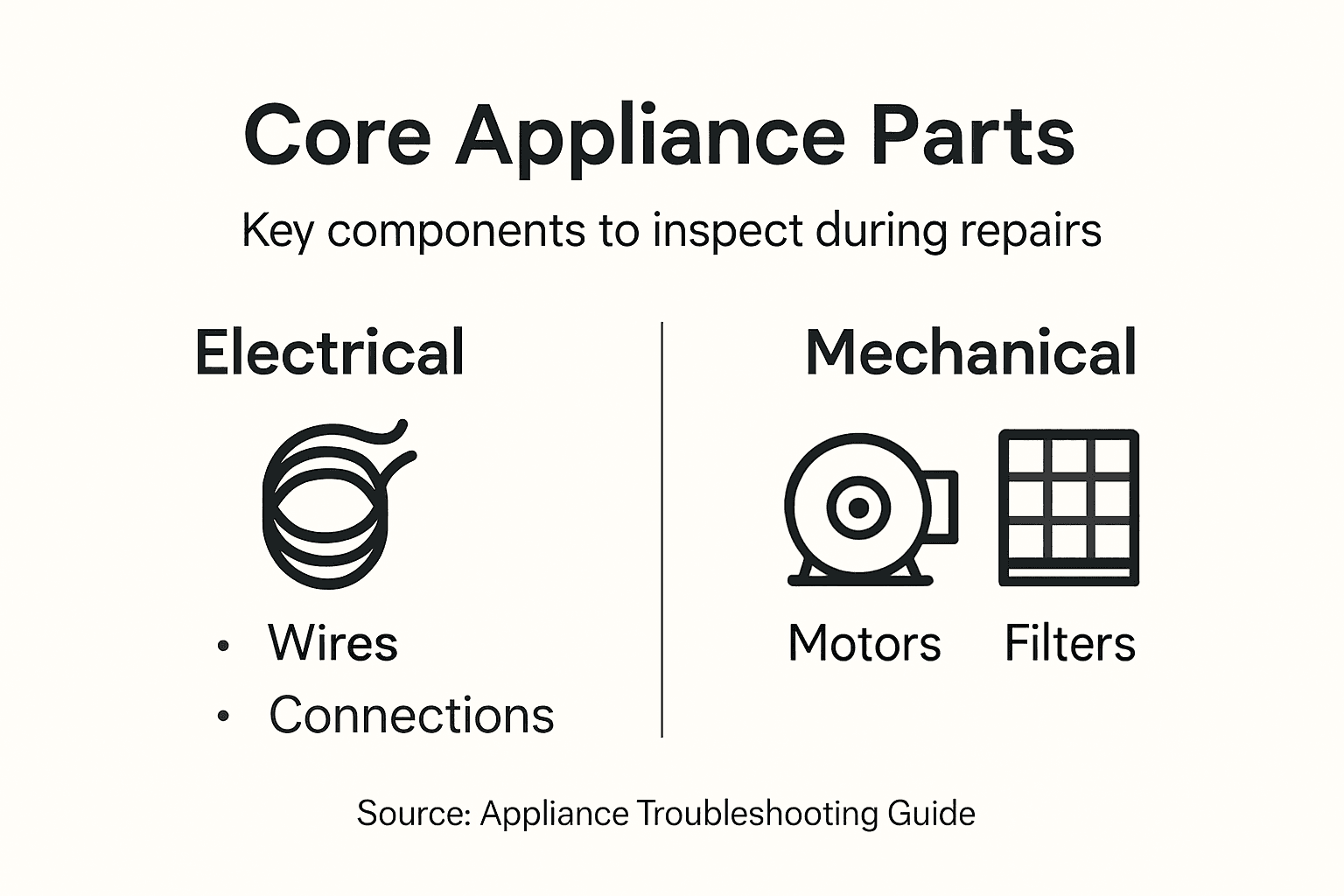
Pro tip: Before you close your appliance back up, use your phone to record a short video of all the components you inspected so you can review it later or share it with a technician if needed.
Step 5: Test and Confirm Resolution
You have made a repair or adjustment. Now comes the moment of truth. Testing whether your fix actually works is what separates a successful repair from one that just looks fixed. This step takes patience and attention because you need to verify the problem is truly gone, not just hidden or temporarily masked.
Start by plugging your appliance back in and running it through a normal cycle or operation. If you fixed a refrigerator, let it run for at least 30 minutes and check if the interior temperature drops and stabilizes where it should be. For a washing machine, run a complete wash cycle with a small load and observe every stage from fill to spin. Watch for unusual noises, vibrations, or leaks that signal the problem has returned. A dishwasher should complete its cycle, spray water effectively, and drain completely. An oven should reach and maintain the set temperature throughout a bake cycle. Testing appliance function under normal operating conditions confirms the solution works correctly and prevents recurring issues. Do not just glance at your appliance and assume it is fine. Stand there and actually watch what happens. Listen to it. Observe the details. This is where you catch problems you might have missed otherwise.
During the test run, compare the appliance’s behavior to how it normally operates. Is it quieter now? Does water flow at the right pressure? Is heat distributed evenly? Does the control panel respond to button presses immediately? Make mental notes or jot down observations. If the original problem is gone but something else seems off, do not ignore it. That new issue might be connected to your repair or it might be unrelated, but you need to understand what you are dealing with. Verifying that the problem is fully resolved and keeping notes of troubleshooting steps helps prevent the same issue from reoccurring and supports faster diagnosis if problems arise later. Run the appliance through at least two complete cycles if possible. One successful cycle could be luck. Two or three successful cycles in a row indicates your repair actually worked. If the problem reappears during testing, you have learned something valuable. It means the underlying issue is more complex than you initially diagnosed, and this is the right time to call in professional repair services. You now have concrete information to share with them about what you tried and what happened.
The table below compares basic and advanced troubleshooting steps for appliance issues:
| Step Level | Typical Actions | Tools Needed | When to Escalate |
|---|---|---|---|
| Basic | Check power, examine connections | Multimeter, eyes | No change after quick checks |
| Advanced | Inspect internal components | Screwdrivers, gloves | Component damage or electrical risks |
| Professional | Diagnose circuit boards, replace parts | Specialty meters, service manuals | Failure after replacement or persistent faults |
Pro tip: Take a photo or video of your appliance working correctly after the repair so you have documentation of its normal operation for future reference or to share with repair technicians if problems develop later.
Get Professional Help for Reliable Appliance Repairs Today
Struggling with stubborn appliance issues like refrigerators not cooling or washers refusing to spin can quickly turn your home upside down. This guide helps you troubleshoot common symptoms and avoid costly mistakes, but sometimes the problem runs deeper involving electrical faults or worn components. If you want to skip the guesswork and ensure your appliances get the fast, expert attention they deserve, our licensed technicians are ready to provide reliable service across Orange County and Los Angeles County.
Connect with trusted professionals at Appliances Repair MD Tech who understand key troubleshooting steps like power checks and component inspections discussed in this guide. Whether you need urgent repairs, expert diagnostics, or maintenance for refrigerators, washers, dryers, dishwashers, or ovens, let us handle the tough repairs safely and quickly. Don’t wait for small issues to become costly replacements. Visit our website now to book your appointment and restore your appliances’ performance with confidence.
Frequently Asked Questions
How do I start troubleshooting an appliance?
To begin troubleshooting an appliance, prepare your tools and safety equipment first. Gather essential tools like a multimeter, screwdrivers, and safety glasses, then inspect for visible issues such as power supply or loose connections before proceeding.
What should I look for when my refrigerator is not cooling?
If your refrigerator isn’t cooling, check for signs like loud noises or a warm interior. First, inspect the compressor and condenser coils for dirt or damage that could affect performance, and ensure the power cord is securely plugged in.
What are common symptoms indicating my washing machine needs repair?
Common symptoms of a malfunctioning washing machine include inability to spin, fill, or drain water. Observe these behaviors closely and document when they occur to better identify potential underlying issues during your inspection.
How can I safely inspect the internal components of an appliance?
To safely inspect internal components, unplug the appliance and ensure your workspace is clean and dry. Carefully open the appliance, taking notes or photos of the components as you go to aid in reassembly or future repairs.
When should I consider calling a professional for appliance repairs?
Consider calling a professional if you encounter a complex issue that requires specialized knowledge or tools, such as a damaged circuit board. If your attempts to fix the problem have not yielded results after a thorough inspection, it’s wise to seek expert help.
How can I confirm if my repair worked successfully?
To confirm your repair was successful, plug the appliance back in and run it through a normal cycle, watching for any unusual sounds or functionality. Ensure it operates correctly for at least two cycles to validate that the problem has been resolved.