
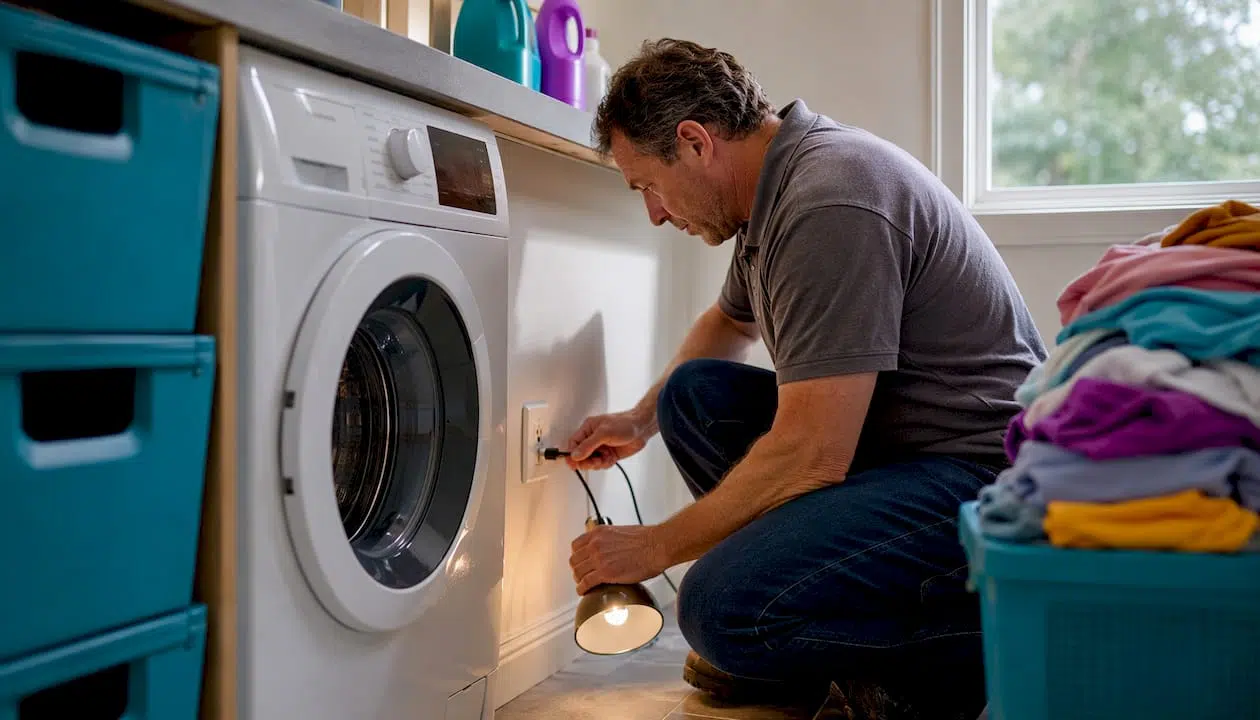
Before you call anyone, run this five-step check: confirm the plug is fully seated, test the outlet with a lamp, check your circuit breaker, make sure the water tap is fully open, and look for kinked hoses behind the machine. Most Bosch washer problems clear in under five minutes with exactly these steps.
If the machine shows an error code, photograph it before you reset anything. Snap a photo of the model badge (the F/Nr sticker, usually inside the door rim or on the back panel) at the same time. You’ll need both if the problem comes back or if you end up calling support.
Quick five-point checklist:
- Power: Unplug, wait 30 seconds, replug firmly. Test the outlet with a lamp or phone charger.
- Breaker: Check the panel. A tripped GFCI or breaker kills the machine with no error code.
- Door latch: Push the door firmly until you hear a click. A partially latched door blocks every cycle.
- Water supply: Open the tap fully. Inspect both inlet hoses for kinks and check the small mesh filters inside the hose connections.
- Drain hose: Look for kinks, and confirm the hose end sits no deeper than 6 inches into the standpipe to prevent siphoning.
Stop immediately and call a professional if you see sparks, smell burning, notice water pooling under the machine, or if error codes E02 or E04 return after a reset. Those symptoms go beyond DIY territory.
Pro Tip: Photograph the model/F/Nr badge and the error code on screen before you reset the machine. That image is the single most useful thing you can send to a technician.
Table of Contents
- Bosch washer error codes: quick reference and fast fixes
- Symptom-by-symptom troubleshooting for common Bosch washing machine issues
- How to clean the Bosch drain pump filter safely
- Routine cleaning and maintenance schedule to prevent Bosch washer problems
- When to call Bosch or a qualified technician
- MDTECH expert maintenance tips: the first-100-days routine and monthly checklist
- How to safely open and inspect internal components
- Troubleshooting mistakes that make Bosch washing machine issues worse
- Basic safety precautions before troubleshooting your Bosch washer
- How to run a test cycle or diagnostic mode on Bosch washing machines
- Key Takeaways
- Appliancesrepairmdtech: on-site Bosch washer repair in Orange and LA counties
- Authoritative sources and where to find your model number
Bosch washer error codes: quick reference and fast fixes
Bosch washers display error codes as either an E or F prefix followed by a number. The letters are interchangeable — E17 and F17 are the same fault. This matters because your manual may list one prefix while the display shows the other.
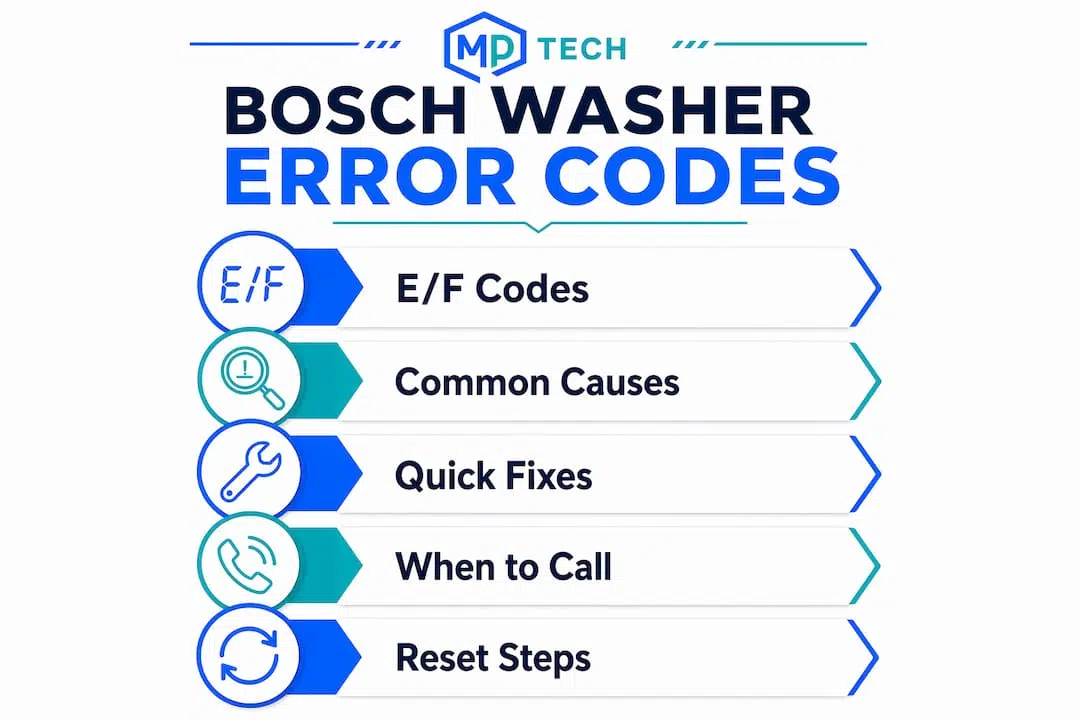
Codes often point to sensor or timing issues rather than immediate part failure. A fill timeout, for example, usually means low water pressure or a kinked hose, not a broken valve. A drain timeout usually means a clogged pump filter, not a dead pump. Physical inspection fixes the majority of these before any part is ordered.
| Code | Meaning | Quick fix |
|---|---|---|
| — | Door not locked | Push door firmly; inspect latch and strike for damage |
| E17 / F17 | Fill timeout (water not reaching level in time) | Open tap fully; check inlet hose filters for debris; verify water pressure |
| E18 / F18 | Drain timeout (water not draining in time) | Clean pump filter; check drain hose for kinks or blockage |
| — | Water level sensor or pressure hose issue | Inspect pressure hose for kinks or disconnection; check for suds overflow |
| — | Control voltage fault | Reset (unplug 60 seconds); if persistent, call a technician |
| E29 | Water flow sensor fault | Check inlet hose filters; verify water pressure; clean pump filter |
| — | Water level calibration error | Run a rinse/spin cycle to clear; if recurring, check pressure hose |
| E43 | Triac/control board fault | Reset once; persistent E43 requires a qualified technician |
| E02 | Motor fault | Do not attempt DIY repair; contact Bosch or a licensed technician |
| E04 | AquaStop / water in base pan | Unplug immediately; do not tilt machine; call a technician |
How to reset most codes: Unplug the machine for 60 seconds, replug, and run a short rinse/spin cycle. If the code returns within one cycle, the underlying cause is still present.
Home Connect-enabled Bosch models can push error notifications to the app, which is useful for catching faults early. Even so, the app report still requires physical inspection to confirm the cause — the notification tells you what the sensor saw, not what caused it.
Pro Tip: Note your model number and FD number before ordering any part. Two machines with the same model name can use different components depending on the production date (FD number). Wrong parts are the most common DIY cost mistake.
Motor and control-board errors — E02, E43 — almost always require a qualified technician. Bosch’s 24/7 US support line is 1-800-944-2904.
Symptom-by-symptom troubleshooting for common Bosch washing machine issues
Chasing the wrong cause wastes time. Work through symptoms in this order: power and door first, then water supply, then drain filter, then pump, then sensors. That sequence alone prevents most unnecessary part replacements.
1. Machine won’t start
Check the outlet first — plug in a lamp and confirm power. Then check the door latch. Bosch front-loaders will not begin any cycle if the door sensor does not confirm a full lock. Inspect the latch tab on the door and the strike on the frame for cracks or misalignment. If both check out, verify the child lock is not active (hold the relevant button combination per your model’s manual for three seconds to deactivate). A tripped breaker with no visible error code is the other common culprit.
2. Won’t spin or clothes come out very wet
Rebalancing the load resolves this more often than any mechanical fix. Bosch’s unbalanced-load detection system will reduce or skip the spin cycle rather than vibrate excessively. Mix large and small items, zip up zippers, and close drawstring bags. If the load is balanced and the problem persists, check the pump filter for blockage — a partial drain restriction causes the machine to abort the spin. For detailed spin-specific steps, the washer won’t spin guide covers the full diagnostic sequence.
3. Not draining (E18 / F18)
This is almost always the pump filter. Access the service flap at the bottom front, place a towel, and remove the filter cap slowly to release residual water. Clear debris, check the impeller spins freely, and reassemble. If the filter is clear, check the drain hose for kinks and confirm the hose end is not inserted too deeply into the standpipe (siphoning prevents proper drainage). A blocked or kinked hose is the second most common cause of drain errors.
4. Leaking
Identify where the water is coming from before touching anything. Leaks from the door seal usually mean a torn or dirty gasket — wipe the gasket folds clean and inspect for cracks. Leaks from the detergent drawer mean the drawer channel is clogged with residue; remove and rinse the drawer completely. Water pooling under the machine that triggers E04 means AquaStop has activated. Unplug immediately and call a technician — do not tilt the machine, as that can spread water to electrical components.
5. Unusual noises
A rhythmic thumping during spin is almost always an unbalanced load. A grinding or scraping sound during the wash cycle often means a foreign object (coin, bra wire, button) is caught between the drum and the tub. Pause the cycle, check the drum manually, and inspect the pump filter for debris. A loud rumbling or roaring during spin that gets worse over time points to worn drum bearings — that requires professional service. If you notice metal shavings in the filter or drum, stop DIY work immediately; bearing failure involves extensive teardown.
6. Bad odors
Persistent musty smells in front-loaders almost always trace back to the door gasket and excess suds. Non-HE detergent creates foam that traps residue in the gasket folds, feeding mold. Switch to HE detergent, use the correct dose (usually less than the cap line suggests), and wipe the gasket dry after every wash. Run a Drum Clean cycle monthly. Leave the door and detergent drawer slightly open between washes to let moisture evaporate.
7. Door won’t open
Wait two minutes after the cycle ends — the door lock releases on a timer. If it still won’t open, check that the drum has drained fully (water in the drum keeps the door locked as a safety measure). Run a drain/spin cycle. If the door remains locked with an empty drum, the door lock mechanism may have failed. Most Bosch models have an emergency release tab inside the service flap at the bottom front — consult your owner manual for the exact location before pulling it.
8. Excessive vibration
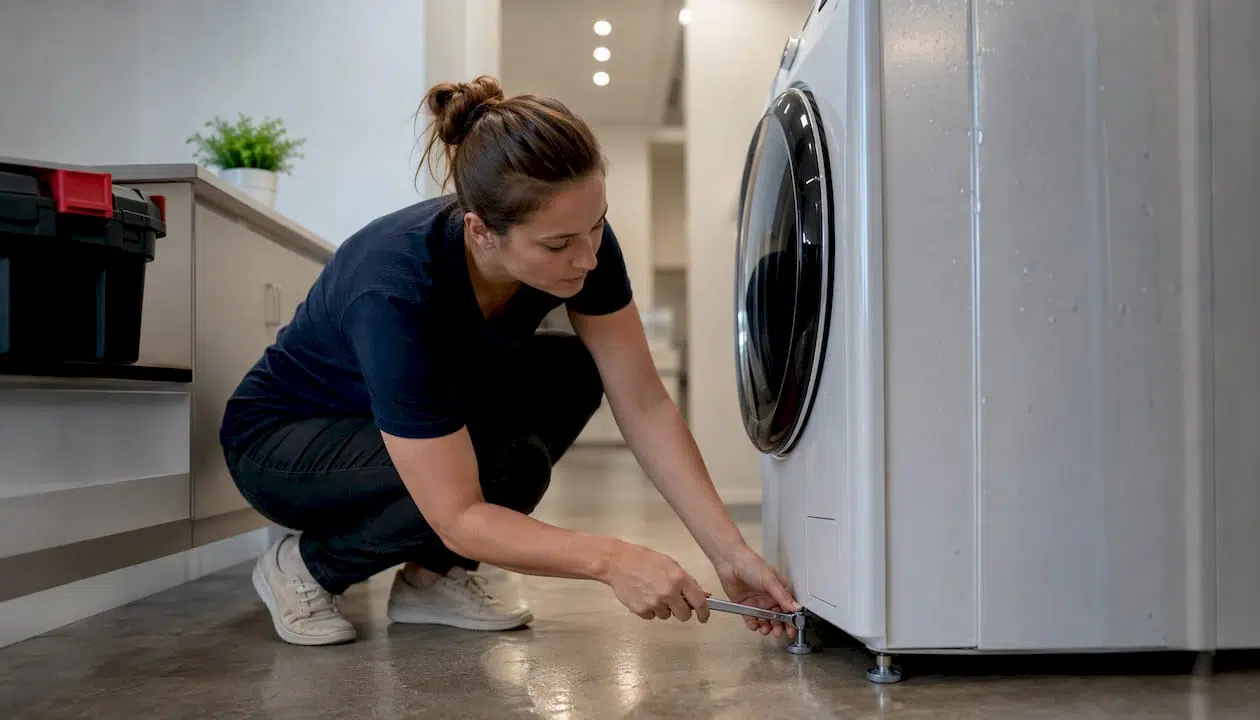
Confirm the machine is level. All four feet should contact the floor firmly — rock the machine by hand to check. Adjust the leveling feet and tighten the lock nuts. Also verify the transit bolts were removed when the machine was installed; leaving them in is one of the most common causes of violent vibration in new machines.
Pro Tip: A structured triage order — power, door, water supply, drain filter, pump, sensors — prevents the common mistake of replacing a part before ruling out a simpler cause. Work the list in sequence every time.
How to clean the Bosch drain pump filter safely
Cleaning the pump filter is the single most effective DIY fix for E18/F18 drain errors and “not draining” symptoms. Plan for about 10 minutes and a small amount of residual water.
What you need: One or two old towels, a shallow tray or baking dish, a flathead screwdriver (some models), and a small bucket.
- Power off and unplug. Never work on the filter with the machine running or plugged in.
- Locate the service flap. On most Bosch front-loaders, it sits at the bottom front of the machine, behind a small rectangular panel. Pry it open with a flathead screwdriver or your fingernail.
- Place towels and the tray. Slide the tray directly under the filter cap. Expect water release — even after a completed cycle, residual water sits in the pump housing.
- Open the cap slowly. Turn counterclockwise a quarter turn and pause. Let water drain into the tray before removing the cap fully. Empty the tray as needed.
- Remove and inspect the filter. Pull the filter straight out. Clear lint, coins, hair ties, and any debris. Check that the impeller (the small plastic fan inside the housing) spins freely with your finger.
- Check for metal shavings or rust. If you find either, stop. Metal debris in the pump indicates bearing or seal failure — reassemble and call a technician rather than continuing.
- Rinse the filter under running water. Do not use harsh chemicals.
- Reassemble. Reinsert the filter, turn clockwise until snug, and close the service flap.
- Run a rinse/spin cycle to confirm drainage is restored and no leaks appear at the flap.
Pro Tip: Photograph the debris you remove before discarding it. If the problem recurs and you call a technician, that photo helps them assess whether the debris pattern suggests a deeper issue (e.g., bearing fragments vs. normal lint).
For a broader step-by-step repair reference, the washer repair guide covers additional DIY procedures with safe-practice notes.
Routine cleaning and maintenance schedule to prevent Bosch washer problems
Small habits prevent the cascade of faults that lead to expensive repairs. The tasks below take minutes individually; skipping them compounds into odor complaints, E18 errors, and premature seal failure.
Bosch’s first-100-days guidance is specific: wipe the rubber door gasket dry after every load and leave the door and detergent drawer slightly open between washes. Those two habits alone prevent the majority of mold and odor complaints in new machines.
| Task | Frequency | Time | What it prevents |
|---|---|---|---|
| Wipe door gasket dry | After every wash | 1–2 min | Mold, odor, gasket deterioration |
| Leave door and drawer ajar | After every wash | — | Moisture buildup, mildew |
| Wipe detergent drawer | Weekly | 2–3 min | Residue blockage, drawer mold |
| Clean drum seal folds | Monthly | 5 min | Mold growth, leak-type errors |
| Clean drain pump filter | Monthly | 10 min | E18 drain errors, pump blockage |
| Run Drum Clean cycle | Every 4–6 weeks | 60–90 min | Bacterial biofilm, odors |
| Descale (hard-water areas) | Every 3 months | 60 min | Limescale on heater, drum |
| Inspect inlet hose filters | Every 6 months | 5 min | E17 fill errors, restricted flow |
| Professional inspection | Annually | Varies | Bearing wear, calibration drift |
HE detergent matters more than most owners realize. Non-HE detergent produces excess suds that trap residue in gasket folds and create the biofilm that causes persistent odors. Use HE-labeled detergent and dose conservatively — the correct amount is usually less than the cap line indicates.
Bosch explicitly warns against pouring undiluted vinegar or citric acid directly into the drum. Acidic solutions degrade rubber seals and gaskets over time, causing the leaks they were meant to prevent. Use a dedicated washing machine cleaner or a Drum Clean cycle instead.
Pro Tip: In hard-water areas (much of Southern California), run a descaling cycle every two months rather than every three. Limescale buildup on the heating element is invisible until it causes E29 flow errors or dramatically increases energy use. If your tap water leaves white deposits on fixtures, your washer needs the same attention.
When to call Bosch or a qualified technician
Some faults are genuinely beyond DIY scope, and attempting them risks making the repair more expensive. Know the line.
Call a technician when you see any of these:
- E02 (motor fault): On EcoSilence Drive models, E02 usually indicates a motor-control or wiring fault rather than a worn motor. The repair involves board or module diagnostics, not a simple part swap.
- E04 (AquaStop activated): Water has entered the base pan. Unplug immediately. Do not tilt the machine. The AquaStop hose typically must be replaced rather than reset — document the activation when you call support.
- Loud bearing noise during spin that worsens over time, especially accompanied by metal shavings in the filter.
- Burning smell or visible sparks at any point during operation.
- Repeated error codes after two resets — the underlying cause is not clearing.
- Major or unexplained leaks that are not from the gasket or drawer.
What to have ready before you call:
- Model number and FD number (inside door rim or back panel)
- Exact error code and when it appeared
- Photos of any leaks, debris, or damage
- Description of any unusual sounds (grinding, clicking, rumbling)
- List of steps you’ve already tried
Bosch US customer support is available 24/7 at 1-800-944-2904 and can connect you to authorized service technicians for on-site repair.
On warranty: Standard Bosch limited warranties cover manufacturing defects in parts and labor for a defined period. They do not cover damage from improper installation, incorrect detergent use, or failure to remove transit bolts. Check your owner manual or the Bosch Home US support page for your specific model’s warranty terms before authorizing paid repairs. Understanding warranty coverage in appliance repairs can save you from paying for work that should be covered.
MDTECH expert maintenance tips: the first-100-days routine and monthly checklist
The first three months with a new Bosch washer set the trajectory for the machine’s long-term performance. Get these habits in place early and most common complaints simply don’t develop.
First-100-days checklist:
- Remove all transit bolts before the first run (usually three or four bolts at the back panel, stored in a bag with the manual).
- Run an initial Drum Clean cycle before the first laundry load to flush manufacturing residue.
- Wipe the gasket dry after every wash for the first month — this builds the habit before mold has any chance to establish.
- Leave the door and detergent drawer ajar every time the machine is not in use.
- Use only HE detergent from day one.
Monthly tasks with realistic time estimates:
- Clean the drain pump filter: 10 minutes. This one task prevents the majority of E18 errors and “not draining” calls.
- Wipe the gasket folds with a damp cloth: 2 minutes. Check for early mold spots and address them before they spread.
- Run a Drum Clean cycle: 60–90 minutes of machine time, zero hands-on effort. Schedule it while you’re doing something else.
Monthly tasks combined take less than 15 minutes of active work. That investment prevents the service calls that cost far more in time and money.
When scheduled professional maintenance makes sense: if you live in a hard-water area, have a high-volume household (more than seven loads per week), or notice any gradual increase in cycle noise, an annual inspection for bearing wear and calibration drift is worth scheduling. Technicians can catch early bearing deterioration before it becomes a full drum replacement. For a complete washing machine care routine, the linked guide covers additional preventive steps homeowners often overlook.
Pro Tip: Set a recurring monthly phone reminder labeled “washer filter + drum clean.” The reminder takes five seconds to create and eliminates the most common reason owners skip maintenance — they simply forget.
How to safely open and inspect internal components
Opening a Bosch washer beyond the service flap requires more preparation than most owners expect. This section covers the door lock mechanism, drive belt, and motor access — in that order of complexity.
Before you open anything:
- Unplug the machine completely. Do not rely on the power button.
- Turn off the water supply at the wall valves.
- Have towels ready. Even a drained machine holds residual water in hoses and the pump housing.
- Take photos of every connector and hose position before disconnecting anything. Reassembly errors are the most common cause of new problems after DIY work.
Door lock mechanism:
The door lock (interlock) sits inside the front panel, accessible after removing the door seal and the front panel screws. On most Bosch models: remove the lower service panel, reach up inside to release the door boot seal retaining spring, peel the seal back from the front panel, then remove the front panel screws (typically three to five, some hidden under the top panel). The lock module unplugs from its wiring harness. Inspect the plastic latch tab for cracks and the wiring connector for corrosion. A cracked latch tab is a straightforward part replacement; a corroded connector needs cleaning with electrical contact cleaner before reassembly.
Drive belt:
Access requires removing the back panel (usually six to eight screws). The belt runs between the motor pulley and the drum pulley. Inspect for cracking, fraying, or slipping off the pulley. A snapped or stretched belt causes the drum to not rotate even though the motor runs. Replacement belts are model-specific — confirm the FD number before ordering. Fitting a new belt requires rotating the drum pulley while guiding the belt into the groove; it takes patience but no special tools.
Motor:
Motor access on EcoSilence Drive models sits at the rear, below the drum. Disconnect the wiring harness, remove the mounting bolts, and slide the motor out. Before assuming motor failure, inspect the wiring harness for chafing or loose connectors — E02 on brushless motors often traces to a wiring fault rather than the motor itself. If the motor tests fine electrically, the fault is likely the control module.
Stop and call a technician if you find: corroded or burnt wiring, water damage to the control board, or any component that shows heat discoloration. Those repairs require diagnostic equipment and replacement parts that go beyond standard DIY scope.
Troubleshooting mistakes that make Bosch washing machine issues worse
The most expensive repair calls often follow a DIY attempt that went sideways. These are the mistakes worth knowing before you start.
Overloading the drum. Bosch front-loaders are rated for specific load weights. Consistently overloading stresses the bearings, causes unbalanced-load errors, and accelerates gasket wear. A good rule: the drum should be about three-quarters full, with clothes able to tumble freely.
Using the wrong detergent or too much of it. Non-HE detergent in a front-loader creates excess suds that the machine cannot rinse out fully. The residue feeds mold and causes odors that owners then try to fix with more detergent, compounding the problem. Use HE detergent, dosed conservatively.
Resetting error codes without fixing the cause. A reset clears the display, not the fault. If E18 keeps returning after resets, the pump filter is still blocked or the drain hose is still kinked. Resetting repeatedly without addressing the cause can mask a worsening problem.
Pouring undiluted vinegar or citric acid into the drum. This is one of the most widely shared DIY cleaning tips online, and Bosch specifically advises against it. Acidic solutions degrade rubber seals and gaskets, turning a cleaning attempt into a future leak.
Skipping the transit bolt removal. New machines ship with transit bolts securing the drum. Leaving them in causes violent vibration that can damage the drum bearings within the first few cycles. Check the back panel before the first run.
Tilting the machine when E04 is active. If AquaStop has triggered and water is in the base pan, tilting the machine spreads water to electrical components. Keep it upright and call a technician.
Pulling the emergency door release without draining first. The door lock stays engaged when water is in the drum as a safety measure. Forcing the emergency release with water present can cause a flood. Run a drain/spin cycle first.
Basic safety precautions before troubleshooting your Bosch washer
Washing machines combine water and electricity in a single cabinet. The precautions below are not optional.
Always unplug before any physical inspection inside the machine. The power button cuts the control circuit, not the mains supply. The machine remains live at the terminal block until the plug is pulled.
Turn off the water supply valves before disconnecting any hose. Both hot and cold supply lines need to be closed.
Never work on a machine that shows signs of electrical damage — burnt smell, discolored wiring, tripped GFCI that won’t reset. Those symptoms require a licensed technician with proper diagnostic tools.
Dry your hands and the floor around the machine before touching any component. Water on the floor creates a slip hazard and a shock risk simultaneously.
Do not bypass safety features. The door interlock, AquaStop valve, and base-pan flood sensor exist to prevent injury and property damage. Defeating them to “just run a quick cycle” is how floods and electrical fires start.
Keep children away from the work area. An open service flap, a removed filter cap, and residual water on the floor are all hazards.
If at any point you are uncertain about what you’re looking at inside the machine, stop. Reassemble what you’ve opened, restore power and water, and call a professional. A diagnostic visit costs far less than repairing damage from a misstep.
How to run a test cycle or diagnostic mode on Bosch washing machines
Bosch does not publish a universal consumer-facing diagnostic mode for all models, and the procedure varies significantly by series and production year. That said, several practical options exist.
Rinse/Spin test cycle: The simplest functional test available on every Bosch washer. Select the Rinse/Spin program with an empty drum and run it. This cycle tests the drain pump, the door lock, the motor, and the water level sensor in sequence. If it completes without error, the machine’s core functions are working. If it throws a code, you have a specific starting point.
Home Connect app diagnostics: On Home Connect-enabled models, the app can display active error codes and, on some firmware versions, run a basic self-test that checks sensor readings. Open the app, navigate to your appliance, and look for a “Remote Start” or “Diagnostics” option. The app will indicate whether your specific model supports remote diagnostics.
Service mode (technician access): Bosch service technicians use a proprietary diagnostic mode accessed through a specific button sequence that varies by model series. This mode cycles through individual components (pump, heater, motor, valves) and reads sensor data. Bosch does not publish this sequence for consumer use, and attempting undocumented button combinations risks locking the control panel. If you need component-level diagnostics, this is the point to call a technician rather than searching for workarounds online.
What to do with the results: If a test cycle completes cleanly but the machine misbehaves during normal wash programs, the issue is often program-specific — a clogged detergent drawer affecting a particular temperature, or a load-sensing issue on a specific cycle. Note which programs trigger the problem and report that pattern when you call support. It narrows the diagnosis considerably.
Key Takeaways
Cleaning the pump filter and rebalancing the load resolve the majority of common Bosch washer faults before any part replacement is needed.
| Point | Details |
|---|---|
| Run the five-point check first | Power, outlet, door latch, water supply, and drain hose clear most faults in under five minutes. |
| E18 and E17 are usually physical, not mechanical | Clean the pump filter for E18; check the inlet hose filters and water pressure for E17 before assuming part failure. |
| E02 and E04 require a technician | Motor-control and AquaStop faults go beyond DIY scope; unplug and call support at 1-800-944-2904. |
| Monthly maintenance takes under 15 minutes | Pump filter cleaning plus a Drum Clean cycle prevents the majority of service calls. |
| Appliancesrepairmdtech covers Orange and LA counties | Licensed technicians handle on-site Bosch diagnostics, part replacement, and complex repairs when DIY steps don’t resolve the fault. |
Why the simple checks matter more than most owners expect
The calls that stick with our technicians at MDTECH are the ones that didn’t need to happen. A homeowner in Irvine spent two weeks convinced her Bosch washer needed a new pump — the machine had been throwing E18 every cycle. When our tech arrived, the pump filter was packed with a sock, three coins, and what appeared to be a year’s worth of lint. Ten minutes and zero parts later, the machine ran perfectly. That’s not an unusual story. The majority of “broken washer” calls we respond to in Orange County and Los Angeles County trace back to a clogged filter, an unbalanced load, or a kinked hose.
The takeaway isn’t that professional service is unnecessary. It’s that the five-minute checklist and the monthly filter clean genuinely prevent most of the calls. When those steps don’t resolve the problem — when E02 keeps returning, when you hear the bearing rumble getting louder, when AquaStop trips — that’s exactly when a licensed technician earns their fee. The goal is knowing which situation you’re in before you spend money on either parts or labor.
Appliancesrepairmdtech: on-site Bosch washer repair in Orange and LA counties
When the pump filter is clean, the load is balanced, and the error code keeps coming back, the next step is a licensed technician who can run component-level diagnostics on-site.
Appliancesrepairmdtech sends licensed technicians to homes across Orange County and Los Angeles County for on-site Bosch washer diagnostics, part replacement, and preventive maintenance. There’s no guessing at parts over the phone — the tech arrives, inspects the machine directly, and gives you a clear parts estimate and repair timeline before any work begins. Booking is available online or by phone, and same-week appointments are typically available for non-emergency repairs.
If your machine needs a part, the appliance parts replacement guide explains what to expect from the process. For homeowners weighing whether repair makes financial sense, the repair vs. replacement guide covers the decision clearly.
Book your appointment at appliancesrepairmdtech.com/washing-machine-service or call to schedule a visit from a technician who knows Bosch machines.
Authoritative sources and where to find your model number
Your Bosch model number (E/Nr) and production date code (FD number) are printed on a sticker inside the door rim on most front-loaders, or on the back panel. Have both ready before contacting support or ordering parts.
Key resources:
- Bosch washing machine troubleshooting — official symptom-based guides for common faults
- Bosch washer error codes — complete E/F code list with descriptions
- Bosch tips and tricks: washer care — maintenance guidance including first-100-days advice
- Bosch owner support hub — owner manuals, how-to videos, and the 24/7 support line (1-800-944-2904)
- Bosch error code tips and Home Connect notes — additional context for smart-enabled models
- Appliancesrepairmdtech washing machine service — local on-site repair booking for Orange County and Los Angeles County
Keep your purchase receipt with your model and FD numbers. If your machine is still under warranty, Bosch support will ask for proof of purchase before authorizing covered repairs.