
Most dishwashers that won’t start are held back by a setting or a power interruption, not a broken part. Work through the door, the control lock, the delay setting, the breaker and a power reset, in that order. If the dishwasher still does nothing, the fault is usually inside the machine: a door latch, a control board or a touchpad. That is a job for a licensed technician. If you live in Orange County or Los Angeles County, we can send one.
This guide covers three situations: the dishwasher is completely dead, the lights come on but nothing happens, and the Start button is unresponsive. It ends with the signs that mean the problem is no longer a quick fix.
TL;DR
- Check the simple things first: the door fully latched, Control Lock or Child Lock off, Delay Start off, and Start or Cancel pressed after you select a cycle.
- With no power at all, check the breaker, a GFCI reset, any wall switch that feeds the dishwasher, and the cord and outlet if it plugs in.
- A reset means cutting power for about one minute, by unplugging the unit or switching off its breaker, then restoring it.
- A breaker that keeps tripping, a panel that stays dead on a live circuit, or buttons that do nothing after the checks all point to a repair.
- If you are in Orange or Los Angeles County, you can book a technician online through MDTECH.
Table of Contents
- Start with the door, the locks and the cycle settings
- Dishwasher has no power at all
- Power is on, but the Start button does nothing
- How to reset a dishwasher
- A quick order of checks
- When it’s time to call a technician
- Book the repair in Orange or Los Angeles County
- Our view: a dishwasher that won’t start deserves a diagnosis, not a guess
- FAQ
- Sources
Start with the door, the locks and the cycle settings
A dishwasher will not run if it thinks the door is open. It also will not run if a lock or timer is active. These checks take two minutes and solve a large share of calls.
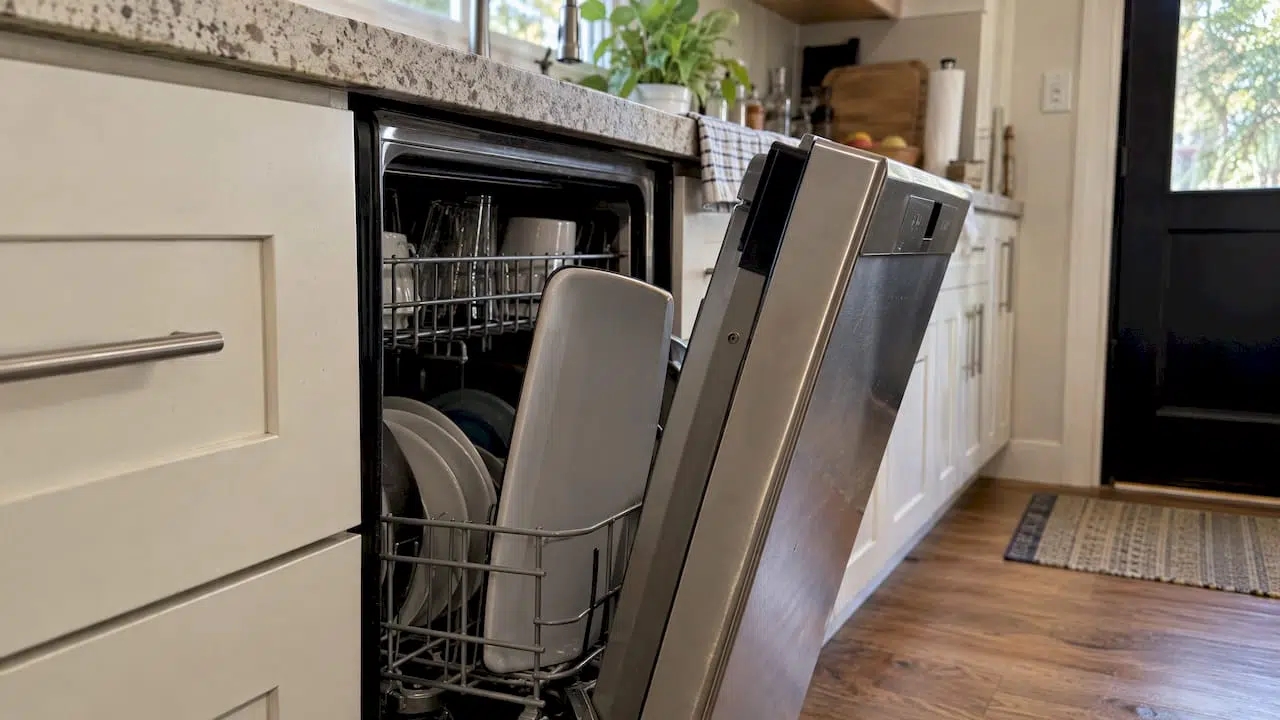
The door. Push it shut firmly until you hear the latch catch. Frigidaire’s owner support lists a properly closed door as the first check. A dark, unresponsive dishwasher can simply have a door that is not latched, and GE Appliances suggests opening and closing it firmly before you move to electrical checks. A rack or a tall dish sticking out can stop the door from closing fully, so look at that too.
Control Lock or Child Lock. Many panels have a lock that disables every button. GE says Control Lock prevents the dishwasher from being turned on. On some LG models, a display showing CL means Control Lock is on, and LG’s help page says to hold Half Load and Energy Saver together for three seconds to turn it off. The button combination differs by brand and model, so use your manual for the exact one.
Delay Start. If a delay is set, the dishwasher waits and looks as if it has stalled. Frigidaire lists Delay Start alongside Child Lock as a setting to rule out. Cancel the delay and select your cycle again.
Pressing Start correctly. Many models need you to choose a cycle and then press Start, or Start/Cancel, once the door is closed. Samsung notes that holding Start too long can also prevent an immediate start. Press it once, firmly, and release.
The water supply. Miele’s checklist covers the basics together: door shut, plug in, breaker reset, appliance switched on, a program selected and the faucet open. Run through them as one pass.
Is a short pause normal?
Sometimes the dishwasher is working and you are impatient. Samsung says some of its dishwashers drain for roughly 35 seconds before the wash begins. If you hear water moving, wait a minute before you assume a fault.
Dishwasher has no power at all
A dark panel with no lights, no beep and no sound is a power problem until proven otherwise. Check in this order, from the panel outward.
- Door latch. As above. A door that is not latched can look like a dead machine.
- Breaker or fuse. Go to your electrical panel and look for a breaker in the tripped or middle position. Switch it fully off, then on. GE, KitchenAid and Samsung all list the household fuse or breaker as a core check.
- GFCI reset. A GFCI is a protective outlet or breaker that cuts power fast when it senses a fault. GE lists a GFCI reset among its checks. In California, the 2022 California Electrical Code summary published by the City of Oakland lists dishwashers among appliances needing GFCI protection. So a GFCI outlet elsewhere in the kitchen, or a GFCI breaker, may be what shut your dishwasher off. Press its Reset button.
- Wall switch. Some kitchens have a switch, often near the sink, that controls the dishwasher’s power. Samsung tells owners to check for one, and Sub-Zero, Wolf and Cove adds a possible switch under the sink. A switch flipped by accident is a surprisingly common explanation.
- Cord and outlet. If the dishwasher plugs in, the plug sits in a cabinet under the sink. Make sure it is seated and the outlet has power. Do not pull the dishwasher out to get at it unless you are comfortable doing so with the power off.
- Directly wired units. Many dishwashers have no plug. For those, KitchenAid says the wiring should match the installation instructions, then the breaker should be checked. Opening a junction box is electrician or technician work, not a homeowner step.
A newly installed dishwasher that is dead
If the dishwasher is new and has never run, GE says to have the installer check the connection. A loose wire or a missed power connection is the usual suspect, and it is not something to fix by guessing. Our appliance installation service covers dishwashers and other kitchen appliances in Orange and Los Angeles counties.
A breaker that keeps tripping
One trip can be a fluke. Repeated trips are a warning. Samsung says to contact an electrician rather than continuing to reset a breaker that trips again and again. Stop resetting it, leave the dishwasher off and get the circuit looked at.
Power is on, but the Start button does nothing
This is the most frustrating version: lights glow, the panel seems alive, and the cycle will not begin. The search results for this problem point to a handful of causes, including the door lock, Start button, settings, water inlet, sensors and control board.
Work through them like this.
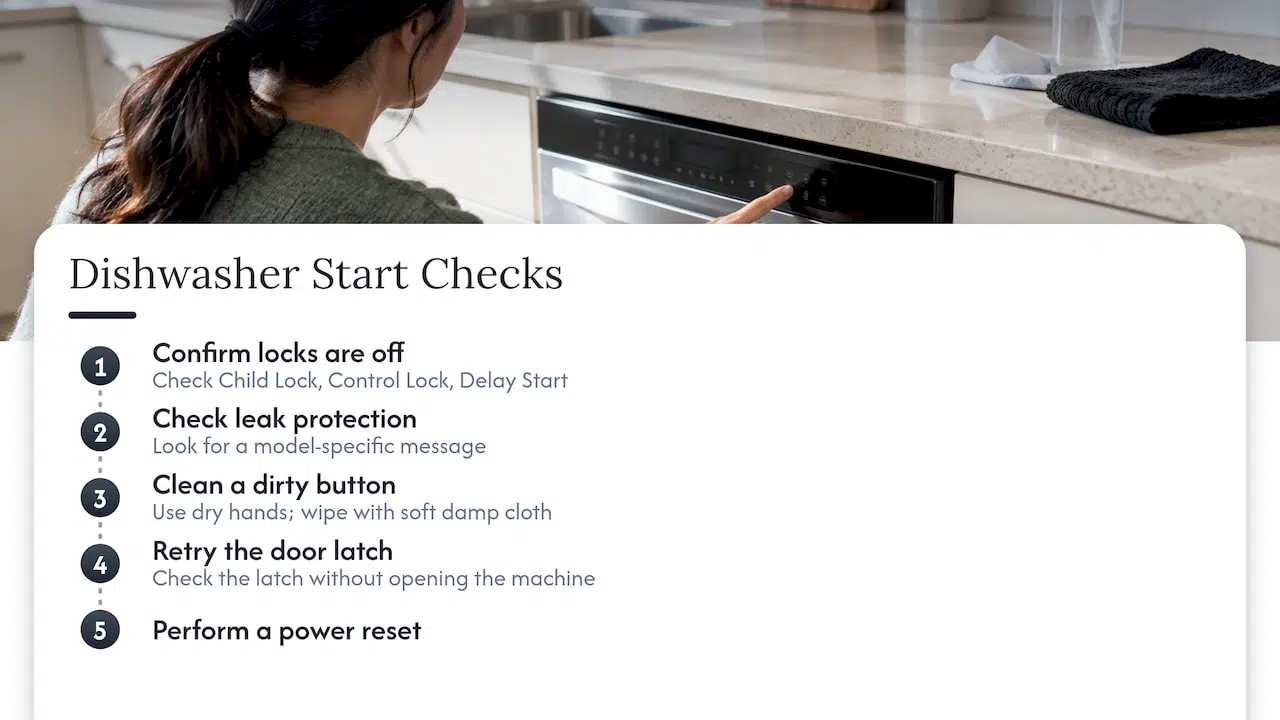
Confirm the locks are off. Child Lock, Control Lock and Delay Start each stop a cycle from beginning. Samsung lists Child Lock, Delay Start and an incompletely closed door among the reasons for no immediate start. LG’s guidance separates a child-lock indication, or a cancel-and-drain sequence, from a truly unresponsive panel. A display message is not always a failure.
Check for leak protection. On GE LCD models, GE says leak protection may keep the dishwasher from running. Your manual will explain what the message looks like on your model.
Clean a dirty button. Samsung says to press the Power control with dry hands and, if the button is dirty, wipe it gently with a soft damp cloth. Never spray cleaner into the panel.
Try the latch again. Bosch lists a faulty door latch, an active Child Lock and a faulty control board or touchpad as possible causes. You can check the first two yourself. You cannot check the last two without opening the machine.
Do a reset. If none of this works, the next step is a power reset.
How to reset a dishwasher
A reset clears a frozen control without any tools. The manufacturers agree on the method and differ only slightly on timing.
- Cancel any cycle that is running.
- Cut power. Unplug a cord-connected dishwasher, or switch off the dishwasher’s breaker.
- Wait. Amana and Whirlpool both say about one minute. Samsung says 30 seconds. One minute covers both.
- Restore power, close the door firmly and select a cycle.
A reset is a diagnostic as much as a fix. If the dishwasher comes back to life, a one-time glitch was the cause. If it dies again the same day, the control or another component is failing, and repeating resets will not help.
A quick safety note: you only need to touch the breaker panel or the plug. Do not remove the lower kick panel or the control panel to reset the unit. Those areas hold live wiring.
A quick order of checks
| What you see | Check first | Next step |
|---|---|---|
| No lights, no sound | Door latch, breaker, GFCI, wall switch | Plug and outlet, then a reset |
| Lights on, no response to buttons | Control Lock or Child Lock | Clean the button, then reset |
| Start light blinks, cycle won’t begin | Door latch, Delay Start | Reset, then service |
| Hums or clicks, no water | Faucet or supply, door | Service if it persists |
| Breaker trips again | Stop resetting it | Electrician or technician |
When it’s time to call a technician
Suppose you have confirmed the door latches, the locks and delay are off, the breaker and any switch are on, and a one-minute reset changed nothing. At this point the usual suspects are inside the machine.
- Door latch or latch switch. The latch can be fully shut and still fail to tell the control board that the door is closed.
- Control board or touchpad. Bosch lists both as possible causes when the controls stay dead.
- Wiring or supply to the unit. LG says a dishwasher that ignores the Power button despite an on breaker and a secure plug may need inspection. So may a powered panel that does not light when you press buttons.
Sub-Zero, Wolf and Cove puts it plainly: when the supply, breaker, switch, plug and outlet all check out, the dishwasher needs service for diagnosis and repair. Bosch gives the same direction: if the problem persists, arrange service.
The reason to stop here is practical. Replacing a board you did not need to replace is costly, and opening the machine means working near mains wiring and a water inlet. A technician tests the part before replacing it.
If the dishwasher also stops partway through a wash, see why a dishwasher stops mid cycle. For a wider checklist, our dishwasher troubleshooting steps cover water, drainage and cleaning problems too.
Book the repair in Orange or Los Angeles County
MDTECH Appliance Repair serves homeowners and property managers across Orange County and Los Angeles County, with licensed technicians and online booking. Our kitchen appliance repair covers dishwashers, and you can see the brands we repair and install before you book.
Tell us what you already checked: the breaker, the locks, the reset and what the panel did. It shortens the diagnosis. You can set up a visit through our appliance repair page.
If the breaker is the problem, because it trips repeatedly or the circuit seems faulty, say so when you book. An electrician may need to look at the circuit first.
Our view: a dishwasher that won’t start deserves a diagnosis, not a guess
We see the dishwasher that won’t start as two different problems wearing the same symptom. One is a setting or a tripped circuit, which you can clear in ten minutes with the steps above. The other is a part that has failed, such as a latch, a touchpad or a control board.
The mistake we want homeowners to avoid is moving from the first kind of fix straight to ordering a part. A board looks like the obvious culprit when the panel is dark. But the same dark panel can come from a latch that never signals closed, or from a supply fault. Each fix is different, and a wrong guess costs money.
That is why we send licensed technicians to confirm the cause before anything is replaced. Our technicians repair dishwashers and the rest of the kitchen, from refrigerators to ovens, and also handle installation, so a dishwasher that has never worked since it went in is a job we can take on too. We cover Orange County and Los Angeles County, and you can book online.
Do the free checks first. They are quick, and they are the same ones the manufacturers list. When they do not work, a proper diagnosis will.
MDTECH
FAQ
Why won’t my dishwasher start even though the lights are on?
The usual causes are an unlatched door, Control Lock or Child Lock, or a Delay Start setting. Close the door firmly, cancel the delay, and check your manual for how to disable the lock. If a reset does not help, a faulty latch, control board or touchpad may be to blame, and the dishwasher needs service.
Why does my dishwasher have no power?
Start at the breaker, then reset any GFCI outlet in the kitchen and check for a wall switch that controls the dishwasher. If the unit plugs in, confirm the plug and outlet. If all of these are fine and the panel is still dark, the unit needs inspection. A directly wired or newly installed dishwasher should be checked by a technician or the installer.
How do I reset my dishwasher?
Cancel the cycle, then unplug the dishwasher or switch off its breaker for about one minute. Restore power, close the door and start a cycle. Whirlpool and Amana both describe about one minute, and Samsung says 30 seconds.
What should I do if the Start button doesn’t work?
Make sure the door is fully latched, that Child Lock or Control Lock is off, and that no delay is set. Clean a dirty button gently with a soft damp cloth. If the buttons still do nothing after a reset, the control board or touchpad may need service.
Sources
- Frigidaire: What should I do if my dishwasher is not starting?
- Miele: The dishwasher will not start
- GE Appliances: Dishwasher won’t run and has no power
- City of Oakland: 2022 California Electrical Code changes
- KitchenAid: No power, not turning on, dishwasher
- Samsung: Dishwasher will not turn on
- Samsung: Dishwasher does not start or fill with water
- Sub-Zero, Wolf and Cove: Dishwasher has no power
- LG: DIOS dishwasher panel buttons unresponsive
- Bosch: Dishwasher troubleshooting and repair guide
- Amana: Why your dishwasher isn’t working
- Whirlpool: Dishwasher not starting or not operating